Post
Follow
New Release Announcement - Dashboard Package 1.9.0
New Features
Industry Compliance Reports in Dashboard
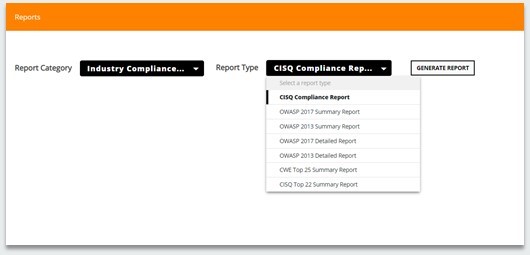
Industry compliance reports can now be downloaded directly from the Engineering Dashboard. The current version of the Dashboard allows users to download the following reports –
- CISQ Compliance Report
- OWASP 2017 Summary Report
- OWASP 2017 Detailed Report
- OWASP 2013 Summary Report
- OWASP 2013 Detailed Report
- CISQ Security Report
- CWE Top 25 Summary Report
Miscellaneous Reports (CED reports) in Dashboard
Most of the CED Reports have been migrated in Engineering Dashboard. The new “Miscellaneous Report” option is comprised of the following reports –
- List of removed violations
- List of new violations
- Top CC * High Fan-out
- Top CC * Low Documentation
- Top Rules with highest improvement opportunity
- Top Rules with largest increase/decrease in the No./percentage of violations

Custom Report Generation from Dashboard
CAST admins and COE teams now have the ability to create custom reports as per client request and enable the end users to download those reports directly from the Dashboard. The custom report templates can be created using the components present in the Report Generator.
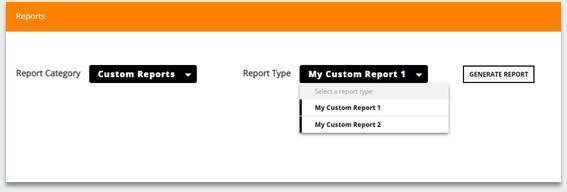
Note: In the current version only .docx reports are supported.
Snapshots Comparison at Tech Criteria and Rules Level
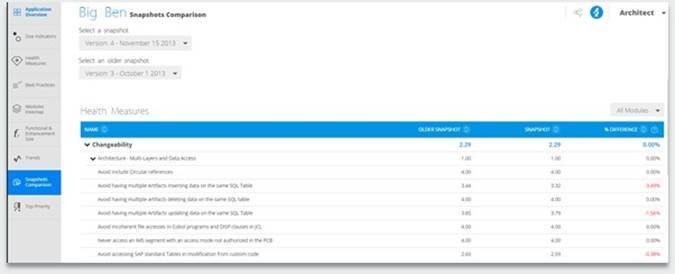
Snapshots Comparison in Health Dashboard now enables users to drill down and compare metrics across various Rules and Technical Criteria.
A module selector has also been added, allowing users to compare various metrics for a particular module.
Session Timeout Changes for SAML-SSO
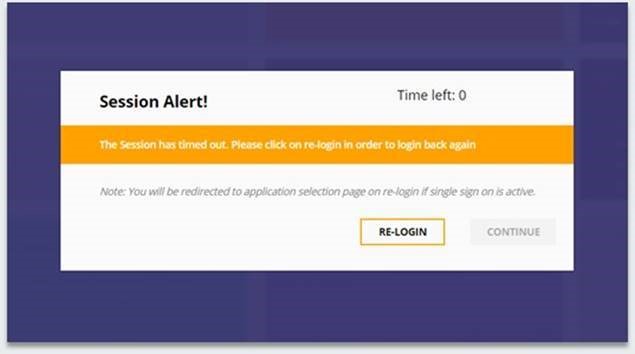
The following changes have been made to session timeout behavior for dashboards that are using SAML authentication:
- If the combined "Health-Engineering" Dashboard or "Health-Security" Dashboard is in use, clicking on Re-login navigates to the Welcome page.
- If the single Health Dashboard is in use, clicking on Re-login navigates to the home page.
- If the single Engineering Dashboard is in use, clicking on Re-login navigates to the Application selection page.
Useful Links -
For any feedback or feature request please write to us - https://help.castsoftware.com
Please sign in to leave a comment.